One installer for everyone. A licence unlocks it permanently, on up to three computers.
Story
Are these two files the same? And if not, where do they differ? You know the drill: flip the polarity on one, play them together, listen. If it's long, bounce it offline first — and listen to that.
“This really ought to be easier.”
That's where DOUBLECHECK came from.
Overview
CHECK — one clip
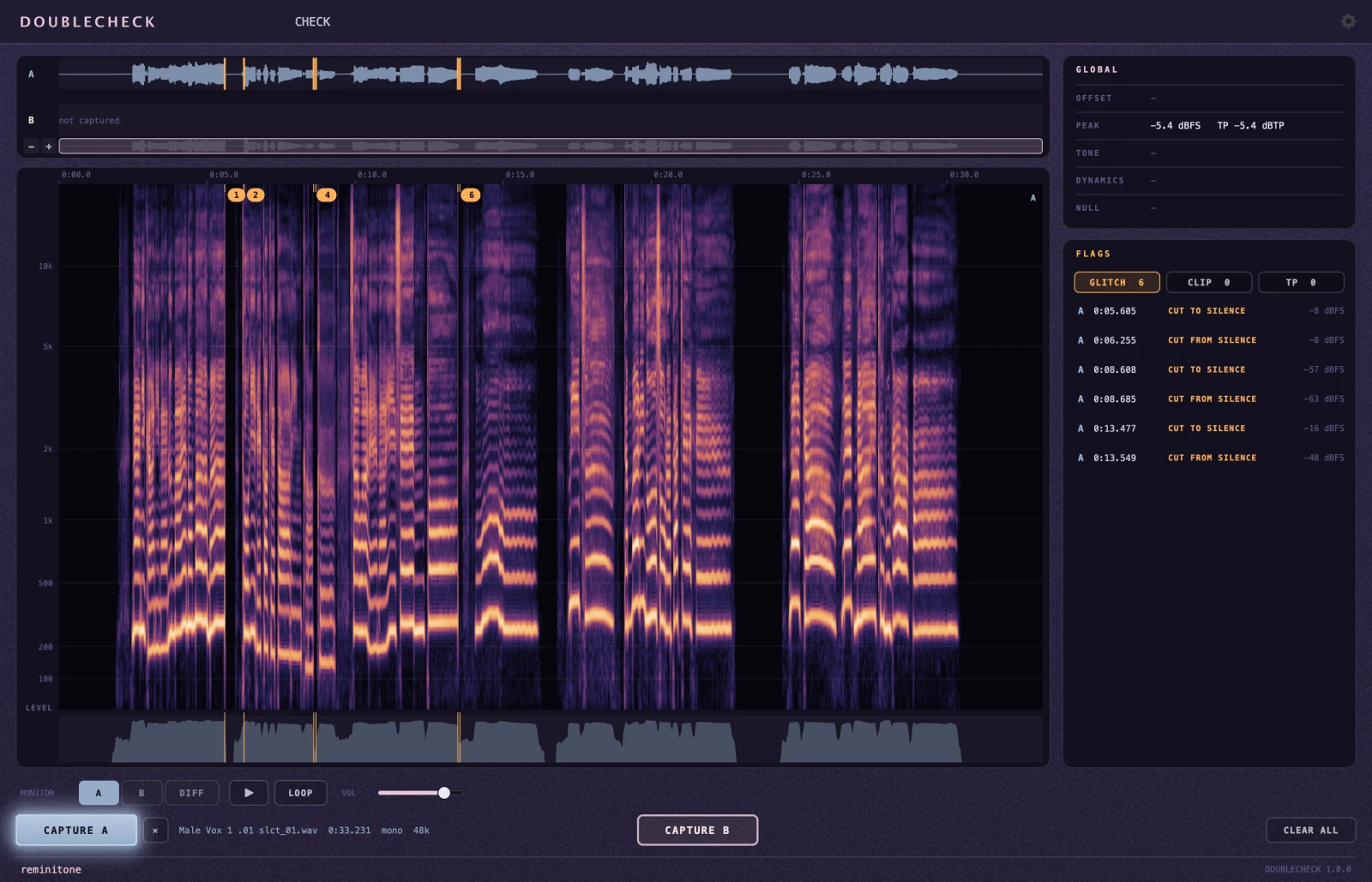
Capture one clip and DOUBLECHECK goes through it: level and true peak, clips and overs, and any hidden GLITCH.
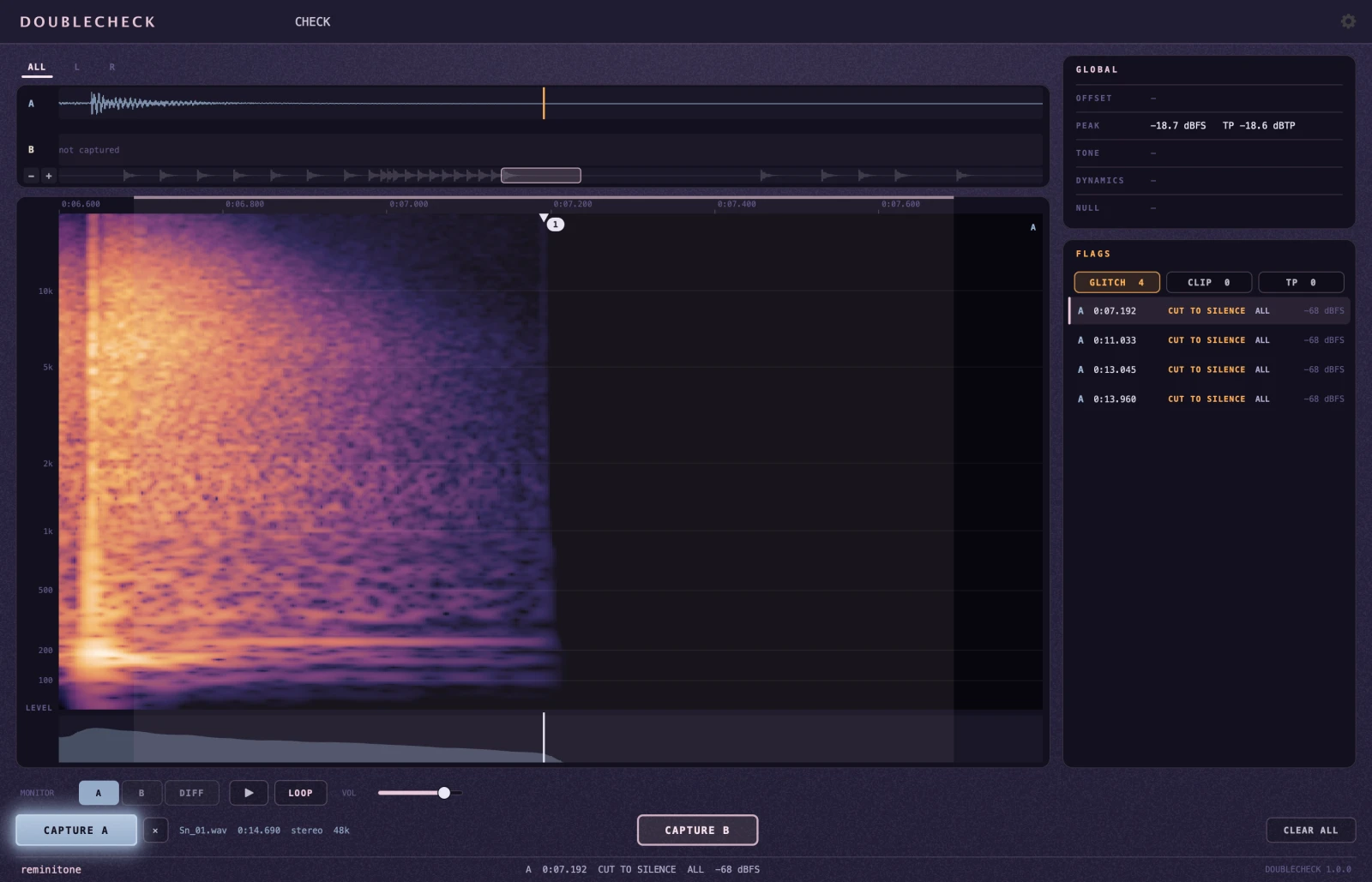
A snare tail cut straight into silence, with no fade Edits that never got their fades
Every flag is shown on the spectrogram, in place. Click one and the loop is set around it; the Pro Tools selection follows.
DOUBLECHECK judges the waveform by fixed criteria. It cannot know intent: a deliberate noise or a hard cut may be flagged, and an error that doesn't match the criteria may slip through. Treat FLAGS as an assistant, not as proof.
COMPARE — two clips
Capture two clips, A and B, and DOUBLECHECK shows where they differ.
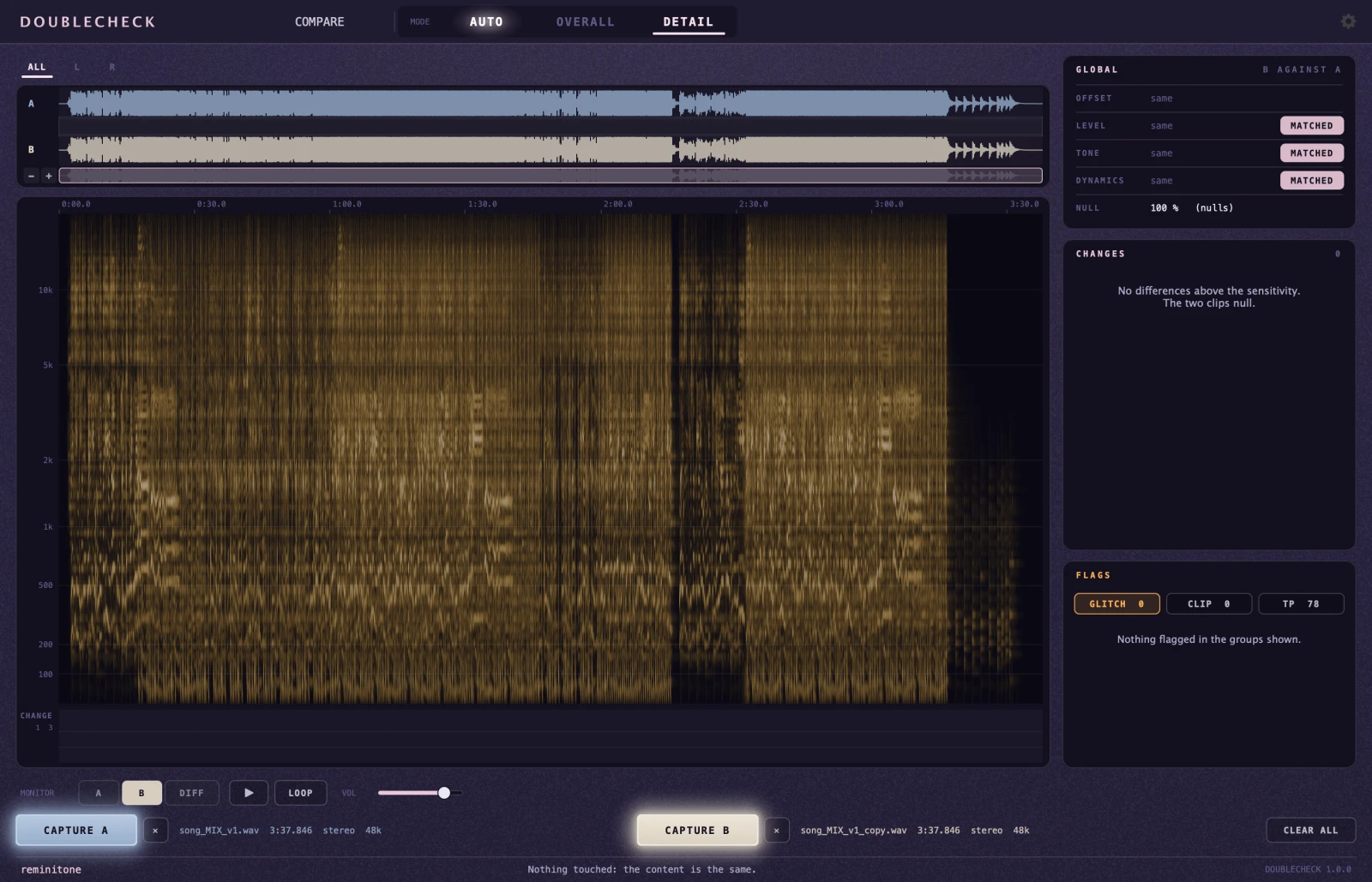
“Isn't this file the same as the last one?” When that doubt comes up, you no longer have to pan one hard left and the other hard right and listen. If the two null, DOUBLECHECK tells you at once; if they don't, it shows you where they differ.
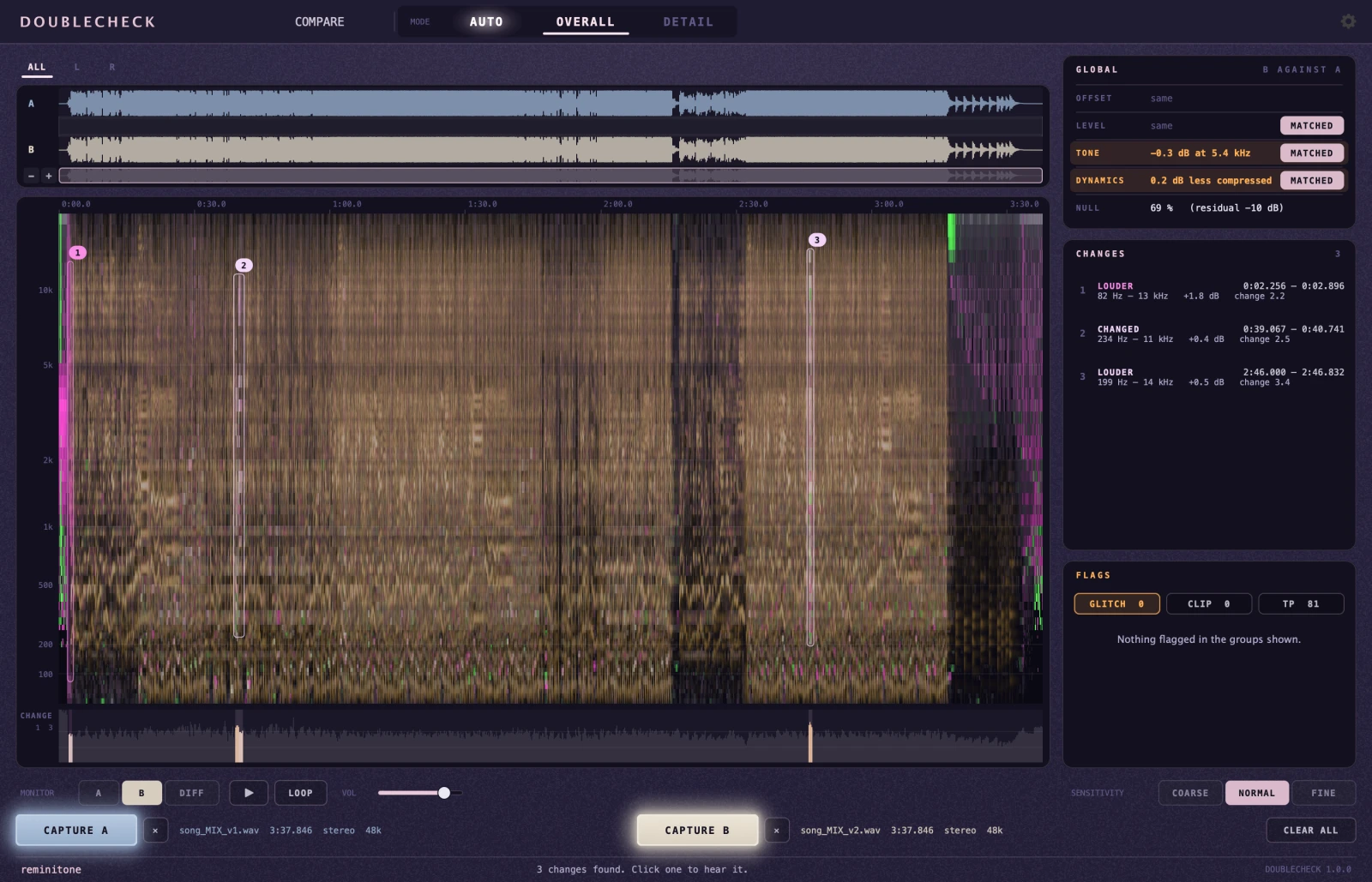
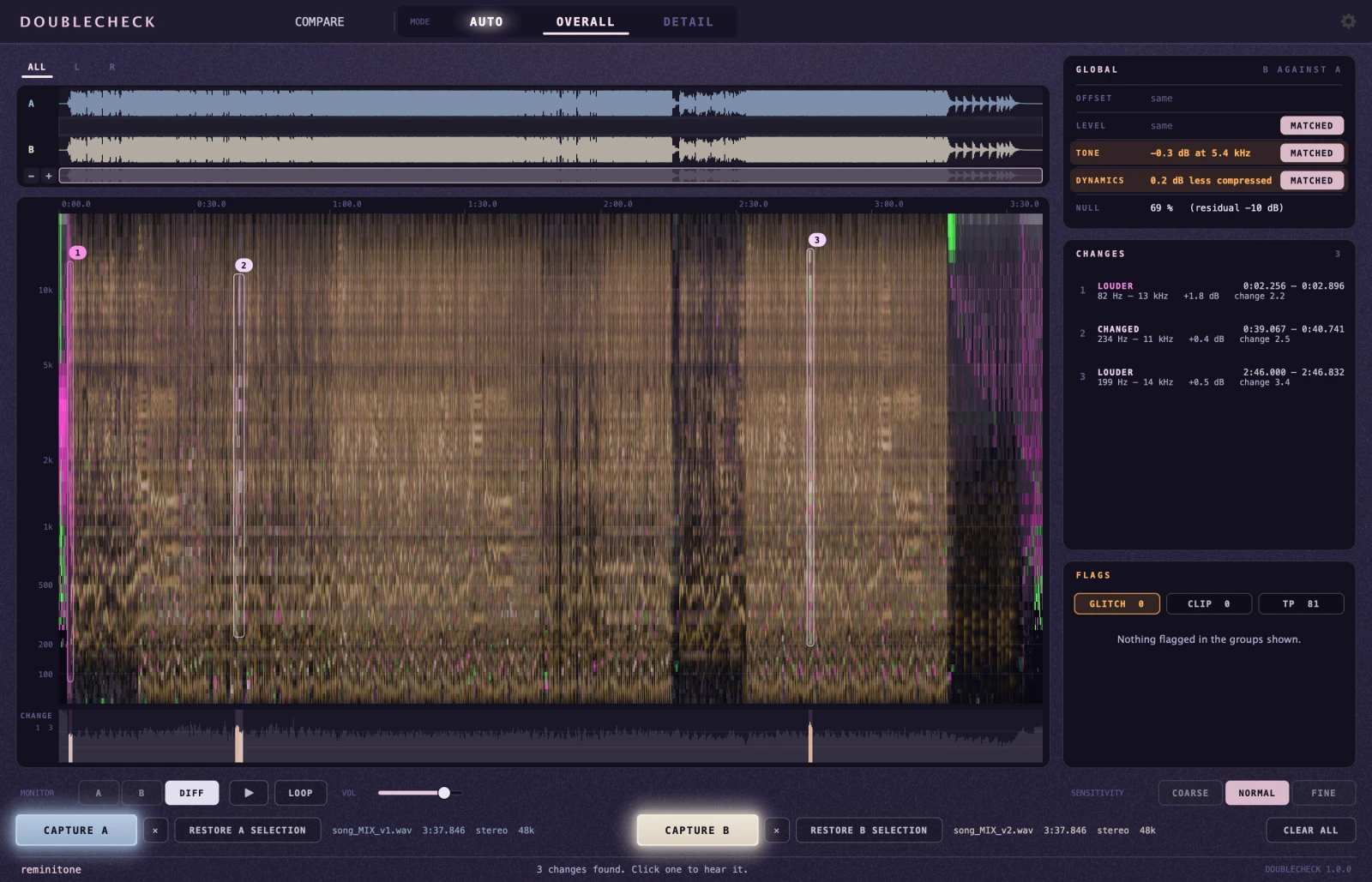
Two identical mixes A mix with changes in places
“So — what changed?” An artist or a mixer you work with sends an updated file. You've been working on the previous one, and you want to carry over only what changed. COMPARE checks the whole length offline, however long, and points at exactly those places.
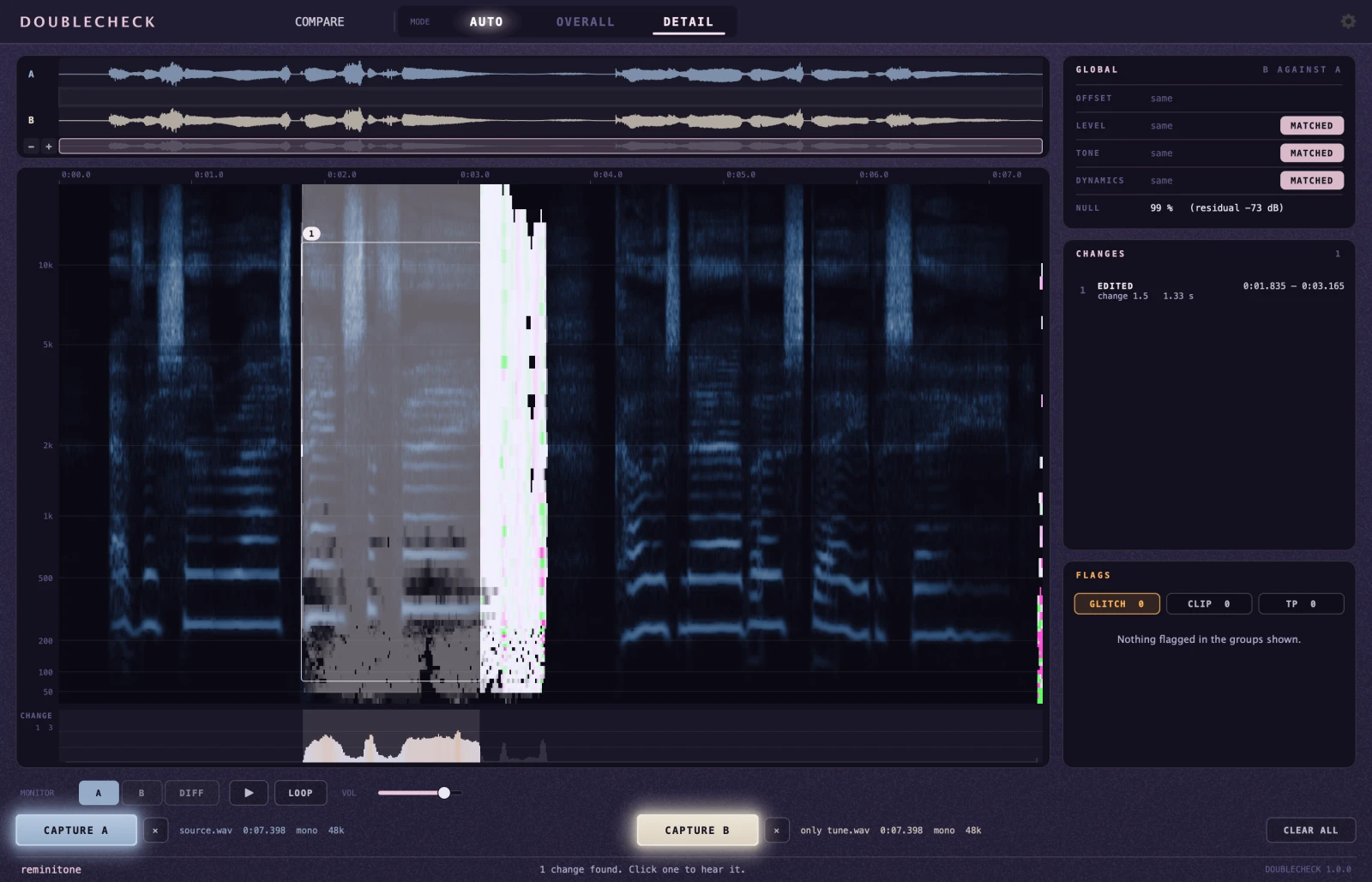
A vocal with one phrase retuned
Which of the two modes, OVERALL or DETAIL, suits the pair is DOUBLECHECK's own call (AUTO). You can also switch by hand.
OVERALL is for mixes and anything else that can't null sample for sample. A mix carries the drift of tape simulators and modulation and the randomness of reverbs, and one small change moves the bus compressor — so even with nothing changed, two prints often don't null. Under those conditions OVERALL still finds the places that changed clearly more than the rest: the differences between v1 and v2, a part that's gone or louder, a new insert, a retuned vocal. Differences that span the whole mix — level, EQ, dynamics — are reported one line each, and with MATCH they're taken out, so the small changes underneath come into view.
Where a mix changed
OVERALL also makes a good safety habit. Before updating a mix, print today's 2-mix and compare it with the last one. A plug-in that failed to authorise, a Pro Tools bug — if any of it happened, it shows up as a change, before you build new work on top of it.
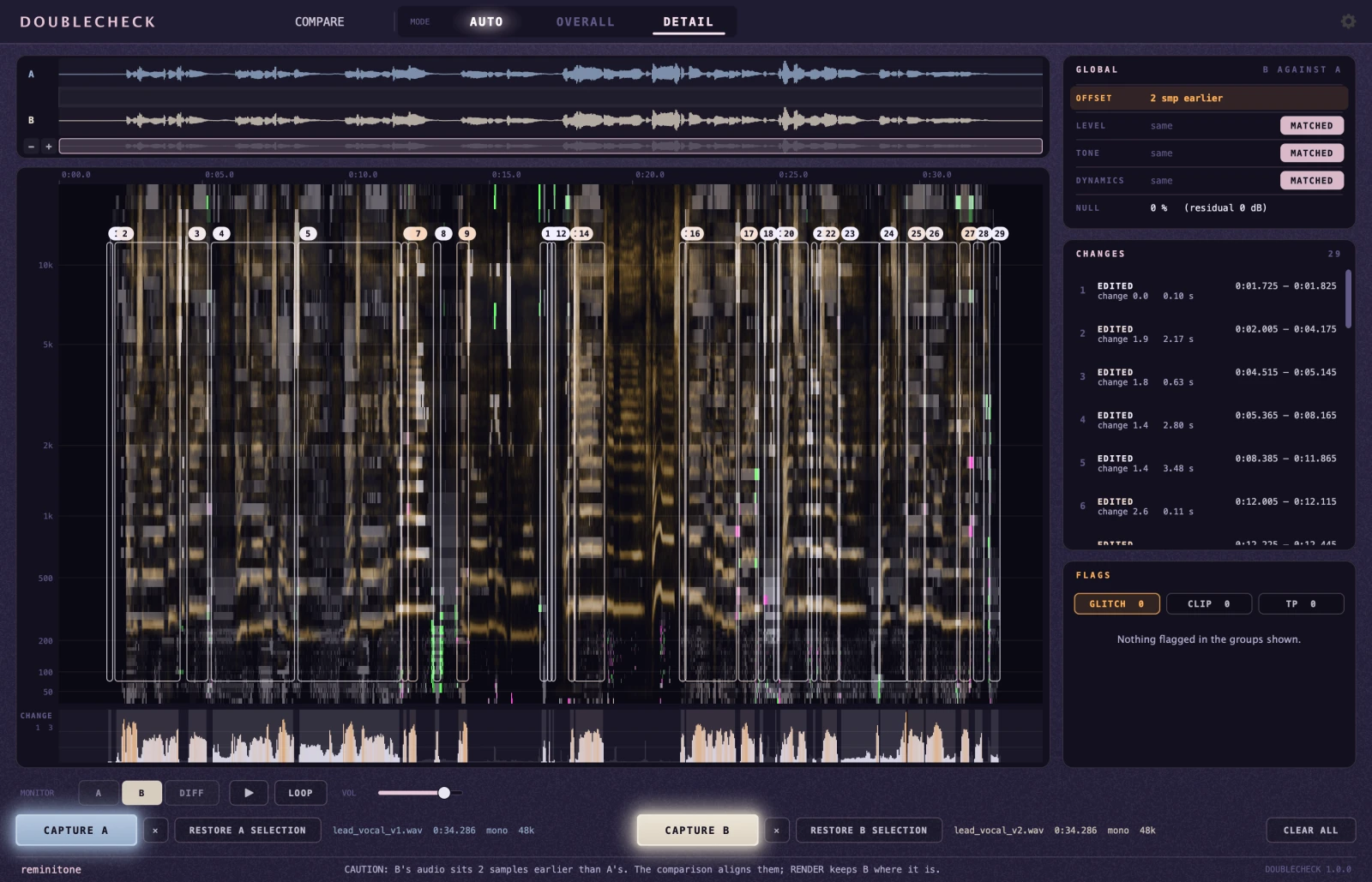
DETAIL is for one voice or instrument, where the untouched parts should null exactly: a vocal after a tuning pass, a line of dialogue with a take replaced, an edit moved by a millisecond. DETAIL lists every touched spot, strictly, and tells how much it changed.
The tuned notes, picked out
DOUBLECHECK judges the waveform by fixed criteria. In OVERALL, a small deliberate change can stay buried under the mix's own randomness and go unlisted. DETAIL assumes there are parts that null exactly, so anything that renders differently each time (a reverb, a modulated effect) reads as a change. Either way, it is not a perfect inspector: an assistant, not the final word.
Features
An AudioSuite plug-in for Pro Tools
Shows the difference between two versions (A and B)
On a single file, finds the edit points behind glitches, clicks, clips, 0 dBFS, overs and true peaks over a ceiling you set
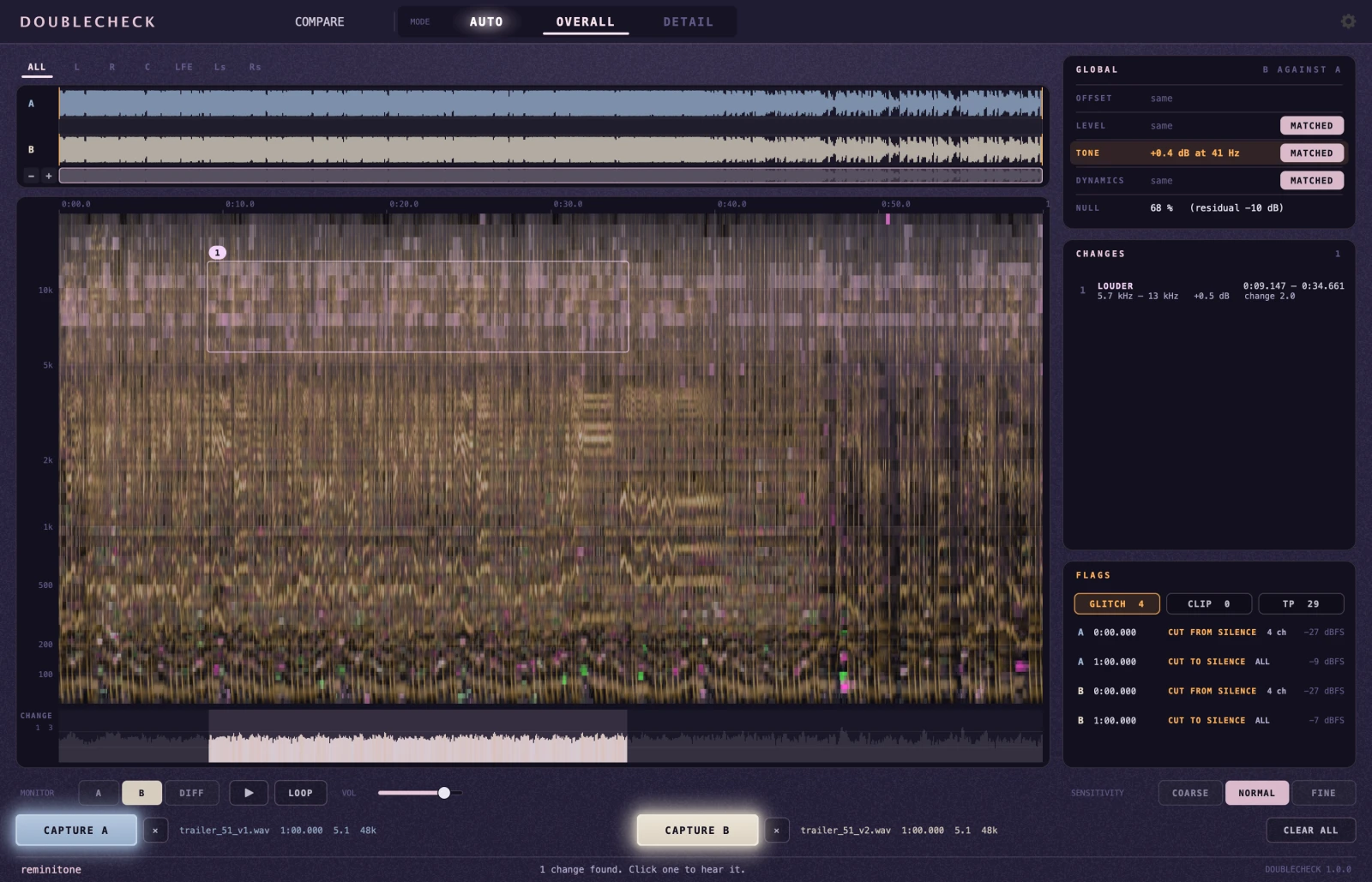
Mono, stereo and multichannel up to 9.1.6
The NULL row in GLOBAL says how much cancels — the same audio twice reads “100 % (nulls)”
MATCH folds in the overall differences, so you can look for the local ones
With every MATCH off, DIFF is the classic null test, aligned to the sample
Clicking a change moves the Pro Tools selection to it; RESTORE brings the captured range back
Render prints whatever MONITOR is set to
In detail
Before you start
Requires Pro Tools 2025.06 or later.
Timeline positions, follow and RESTORE use Pro Tools Scripting. Without it the plug-in still works, with times counted from the start of the selection; the link can also be switched off in Settings.
What COMPARE doesn't cover: versions at a different tempo or stretched in time. Saturation and multiband processing aren't modelled as overall differences and show up as changes; whole-mix fader moves slower than about a second stay as changes too.
Captures are held in memory while they fit; past that they go on in cache files in a DOUBLECHECK Cache folder next to the Pro Tools session (another folder can be chosen in Settings), so the length is bounded by free disk space — about 5.5 GB per hour of 7.1 at 48 kHz, per capture. The files are unlinked the moment they are made, so the Finder never shows them and nothing is left behind.
Version history
v1.0.3
Multichannel: choosing a channel in the strip above the map narrows CHANGES and FLAGS to that channel. A change is listed under the channels in which it shows on its own (the row names them when they are not all), a flag under the channels it was found on; ALL lists everything.
A window Pro Tools rebuilt no longer loses the captures' positions: a chosen change or flag follows in Pro Tools again after the window was closed and reopened.
Reopening the window is fast on long captures: the waveforms are prepared once, in the background, and kept with the capture.
Older versions (3)
v1.0.2
Captures are no longer limited to an hour. A capture that outgrows memory goes on in cache files next to the Pro Tools session, bounded by free disk space; the files are unlinked the moment they are made, so nothing is left behind. The folder can be chosen in Settings.
The AudioSuite Preview button is back, and Preview follows MONITOR (A / B / DIFF) while it plays — also over a part of the captured range.
A chosen change or flag sets the loop and moves there without starting playback; with a comparison up, MONITOR switches A / B / DIFF during the loop. LOOP lights up when it is on.
FLAGS: an unmistakable click inside sound is listed as CLICK at any sensitivity.
Analysis is several times faster on long material (every core; a feature-length 5.1 stem scans in seconds), and the dynamics measurement uses far less memory.
CLEAR stops a running analysis within a second; ANALYSING... shows walking dots.
v1.0.1
COMPARE now lists a stretch that was moved in time — a phrase nudged, a clip slipped — as TIMING LATE / EARLY, with the amount in ms. GLOBAL OFFSET now means the shift of the capture as a whole and is not swayed by a moved stretch inside it.
Captures kept after the window closes are held for one minute (was five), and are let go when Pro Tools has moved to another session in the meantime.
The window opens at the size it was last dragged to.
One installer for everyone. A licence unlocks it permanently, on up to three computers.
Pro Tools and AudioSuite are trademarks of Avid Technology, Inc. DOUBLECHECK is an independent product of reminitone and is not affiliated with, authorised or endorsed by Avid.